Numvista Help & contact
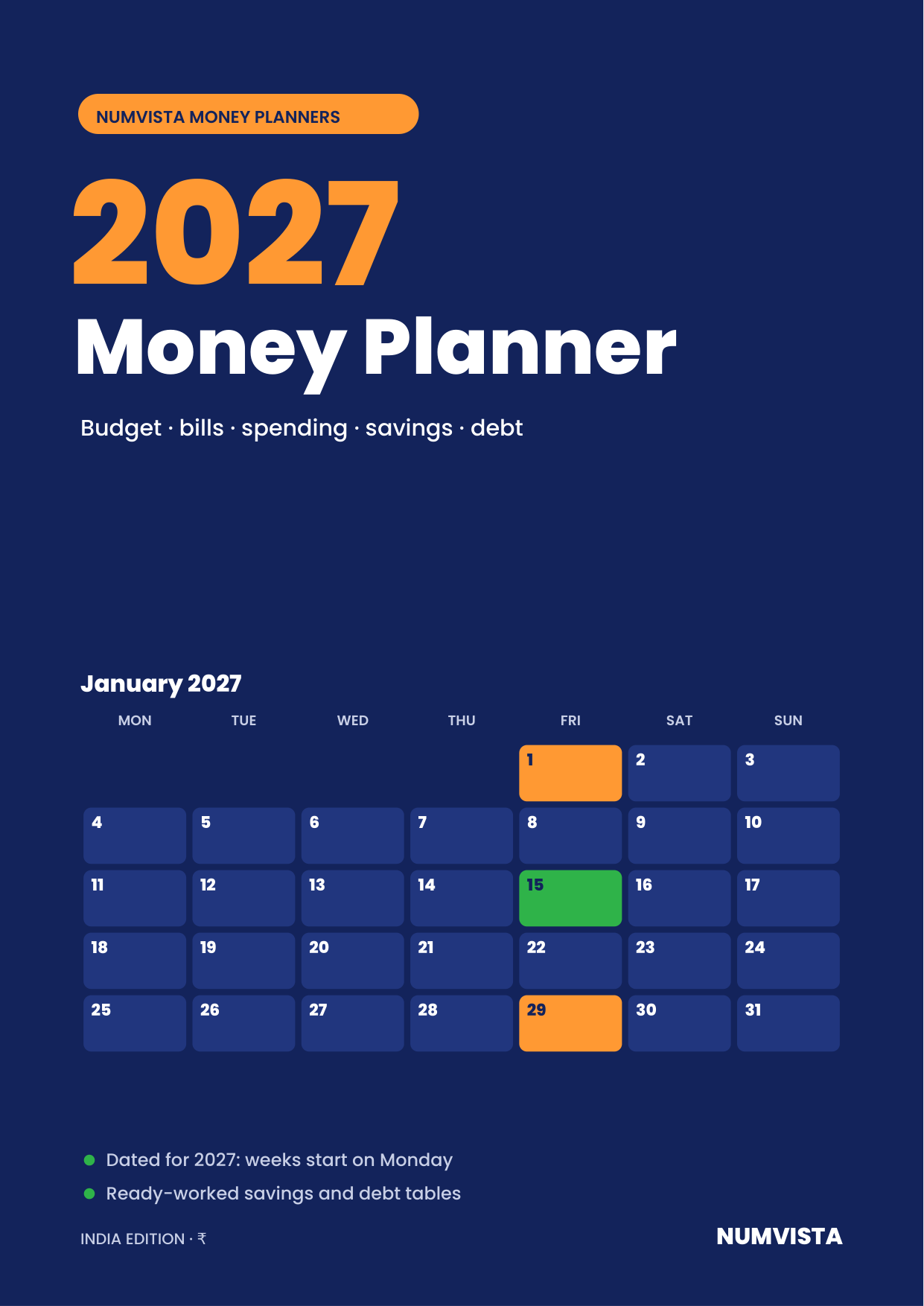
Cover of the Numvista 2027 Money Planner, India edition
INDIA EDITION · ₹

The 2027 Money Planner

See where your salary goes every month. Plan your budget, track bills and EMIs, and watch your savings grow, on paper or on your phone.

₹199 one-time · instant download

You get 2 files: a printable colour PDF (101 pages) + an Excel / Google Sheets planner

Buy now · ₹199
Preview only: the payment button isn't connected yet.

Secure payment by Razorpay · UPI, cards, net banking · Download link straight after payment

What you get

One price, two ways to plan. Use the one you like, or both.

File 1 · PDF to print

Colour printable planner

  • 101 A4 pages, fully dated for 2027 (weeks start on Monday)
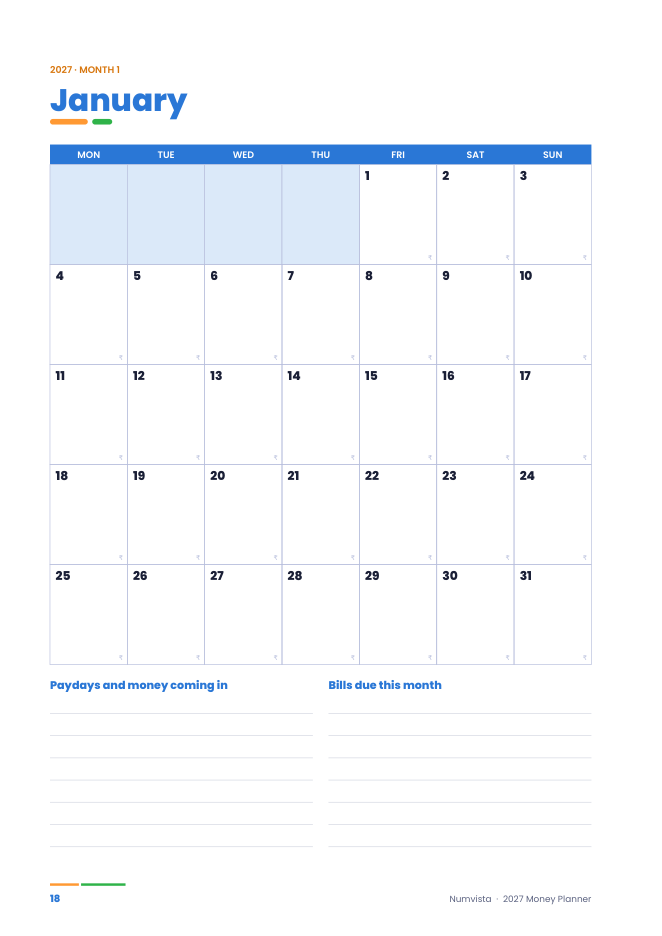
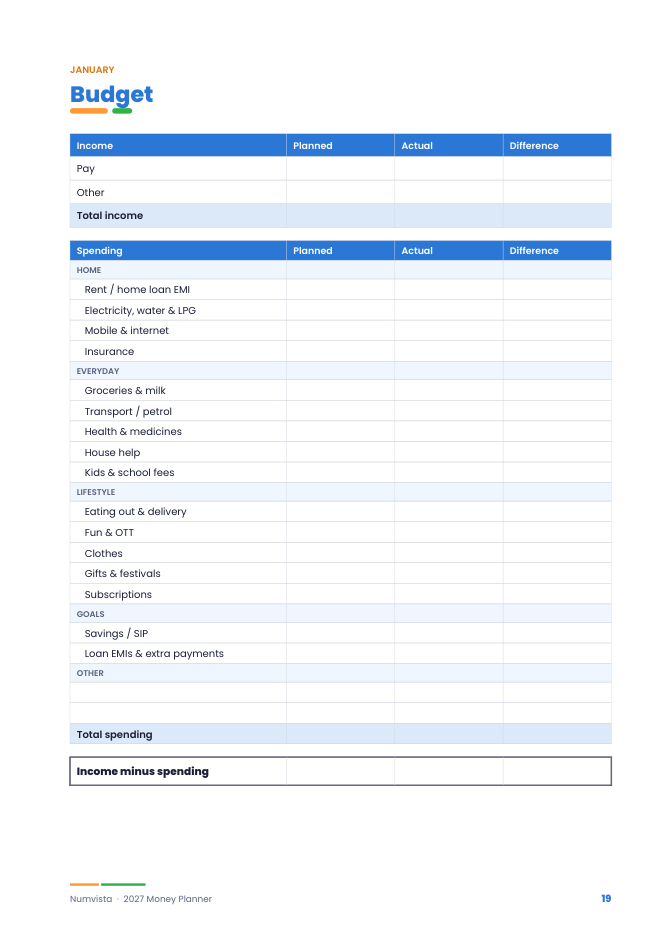
  • Each month: calendar, budget, bills & EMIs, daily spending log, month review
  • Indian budget headings: rent/EMI, LPG, house help, school fees, SIP, festivals
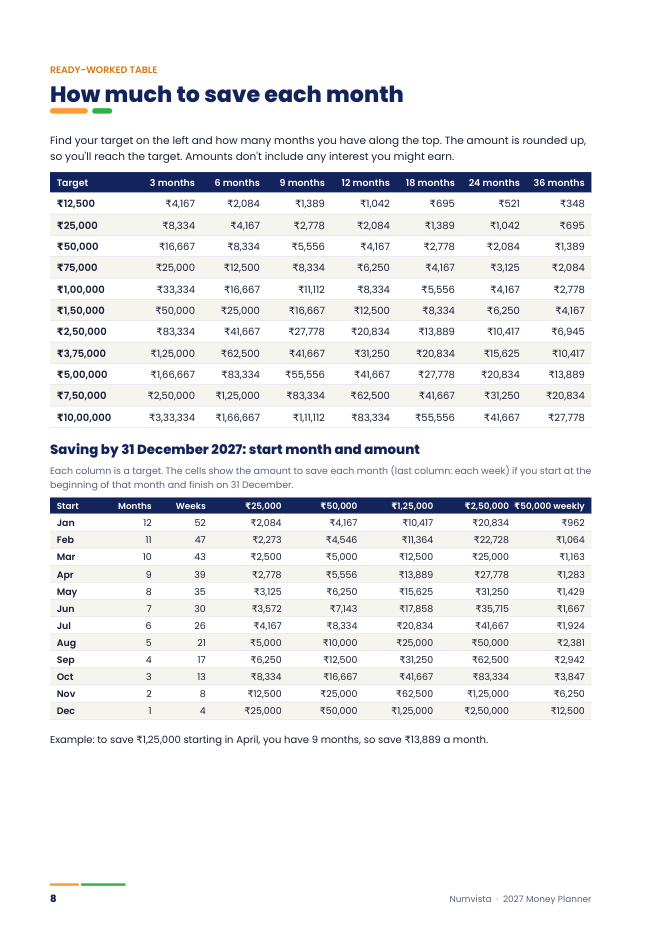
  • Ready-worked tables: how much to save each month, how long a debt takes
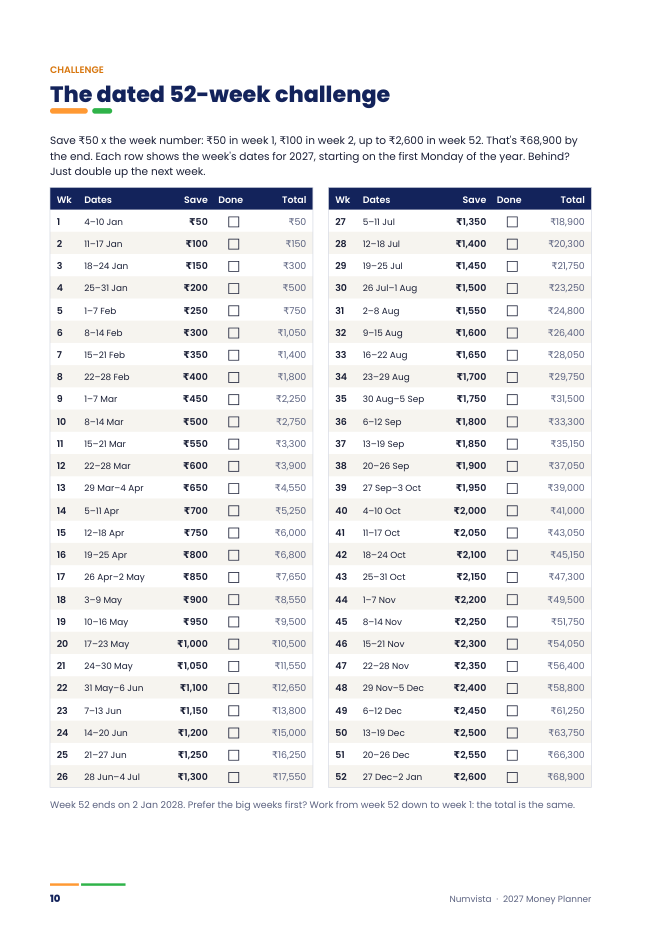
  • Dated 52-week savings challenge (₹68,900 by the end)
  • Net worth: FD, PF/PPF/NPS, mutual funds, gold, loans
File 2 · Excel / Google Sheets

Planner that adds up by itself

  • Type a spend once: category totals, "left" and "over budget" fill in automatically
  • 12 month tabs + a year view with a money in / money out chart
  • Debt tracker: months to clear and interest, for any EMI
  • Savings goals: how much to save per month to hit each goal
  • Works in Excel, and in the free Google Sheets app on your phone
  • Rupees shown the Indian way: ₹1,00,000

Look inside

Real pages from the PDF.

January calendar page
Month calendar
Monthly budget page
Monthly budget
How much to save each month table
Ready-worked savings table
52-week savings challenge page
52-week challenge

The Excel version

January with a few sample entries. Yellow cells are where you type; everything else fills in.
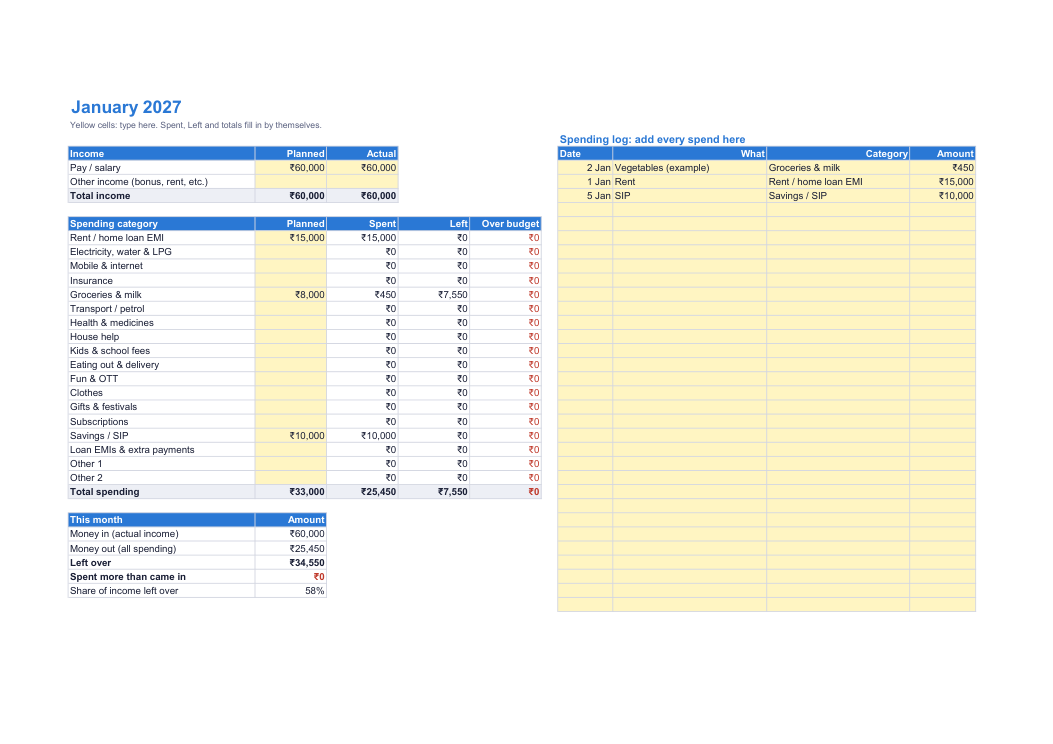
Excel planner, January tab with sample entries

Questions

How do I get the files?

Straight after you pay, you're taken to a download page with both files. Save them to your phone or computer. Keep the payment email from Razorpay as your receipt.

Can I print it?

Yes. The PDF is A4, so it prints on any home or shop printer. Print the whole year or just the month you need.

Does the Excel file work on my phone?

Yes. Open it in the free Google Sheets app or Microsoft Excel app. On a computer it works in Excel or Google Sheets (File → Import).

Is this financial advice?

No. It's a planner for tracking your own money. It doesn't tell you where to invest. Debt examples use example rates; check your own loan statement.

What if the file doesn't open?

Email us at numvista.official@gmail.com with your payment ID and we'll send it again or refund you. See the refund policy.

Start 2027 with a clear view of your money

₹199

PDF + Excel · instant download · one-time payment

Buy now · ₹199

Preview only: the payment button isn't connected yet.